Prepaid support hours your clients can check for themselves.
Timelint is a service desk and an hours ledger for agencies and IT support firms of 3 to 20 people. Clients raise tickets in their own portal and see what's left on their contract. It replaces the support inbox and the hours spreadsheet. Your project work stays in Jira, Linear or wherever it lives now.
- Client portal contacts are free, however many you invite.
- A three-seat minimum, so a small team is not priced out.
- No onboarding fee.
- Runs beside your project tracker, not instead of it.
The monthly 'did we go over?'
Time is in one system, the agreement is in a PDF, the invoice is in Xero, and somebody joins them up at the end of a long month.
- – Overage stops being invoiced after the first awkward conversation.
- – Feature work gets logged as support.
- – A client with no agreement gets helped because they asked nicely.
- – A client paying for hours they never use quietly decides you are expensive.
- ✓ Support work comes off that client's contract, counted the way your agreement counts it.
- ✓ Out-of-contract work is flagged on the ticket, with a reason, and stays off the balance.
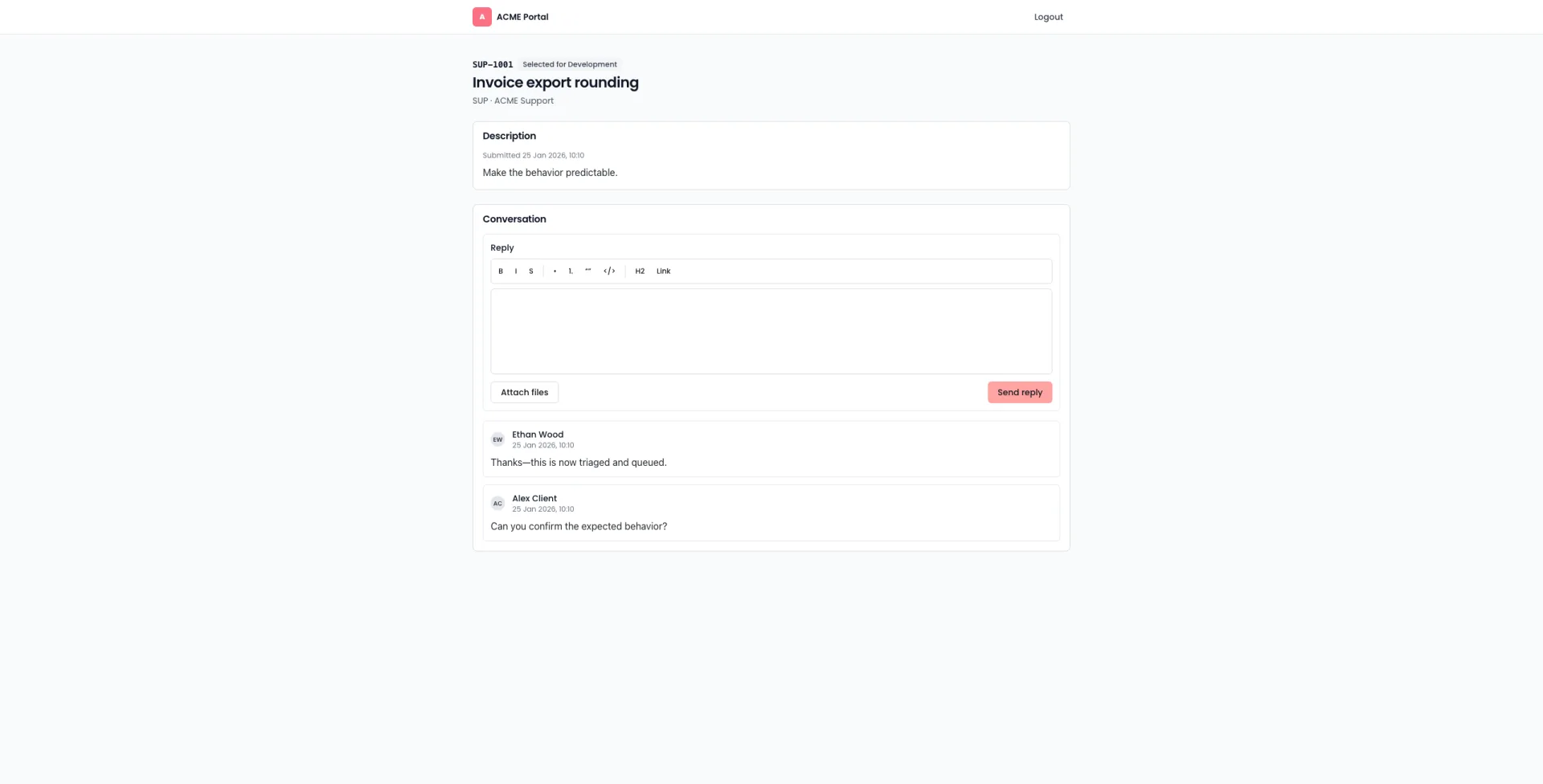
- ✓ The client sees contracted against used, month by month, in their portal.
- ✓ A low balance shows up before the hours run out, not after.
A number the client can check doesn't need asserting
Retainer hours slip when nobody enforces them, and nobody enforces them because saying the number out loud is awkward.
If the balance only lives in your spreadsheet, every conversation about it starts with you asking the client to trust your figure. When they can open their portal and see contracted against used, month by month, there is nothing to argue about and nothing to chase.
- Clients sign in with an emailed link. No password to forget.
- One thread per ticket, with the status beside it.
- The portal carries your name, logo and colour, not ours.
-
1Set the contract
A monthly allowance or pay as you go. Carryover cap, expiry in months, rounding, and the balance at which you want warning.
-
2Log time on tickets
Timers or manual entries, each with a note. Or count the estimate when a ticket is done, if that is how your agreement reads.
-
3Add credits as they happen
Top-ups, a block of hours for a project, or an adjustment. Each one is a dated entry, not an edit to a total.
What you get
The parts of Timelint that run a support book. Nothing here needs a migration of your project work.
One queue per client, triaged and owned inside a project, with a first-response target for each priority.
Requests in, status out, and the contract balance where you choose to show it. Contacts never count as seats.
Allowances, carryover, expiring credits and top-ups as a running record, so last month's number still adds up next month.
Timers and manual logs against the ticket the work was for, with timesheets and CSV export.
One address per workspace, so you can put a 'Customer login' button on your own site.
Connect an AI assistant over MCP and ask which client is running out of hours, or which tickets are waiting on a customer.
Who it is for
It does one job. Here is whether it is yours.
- Agencies and IT support firms of roughly 3 to 20 people.
- You sell prepaid support hours or a monthly retainer.
- Support requests arrive by email and someone reconciles hours in a spreadsheet.
- You want clients raising tickets somewhere better than your inbox.
- You want one system for sales, quoting, delivery and invoicing.
- You need enterprise ITSM: asset databases, change boards, procurement.
- You have no client-facing support at all.
What it costs, in words
Seat floors and setup fees are what price small agencies out of support tools. There is no setup fee here, and the floor is three seats.
- You pay for the people on your team who work tickets. Your clients' portal contacts are free.
- The minimum is three seats.
- No onboarding fee.
- The service desk, the portal, the hours ledger and AI access over MCP are all in the one plan.
- The current figure is on the pricing page.
Templates for retainer boundaries
Useful whether or not you use Timelint.
FAQ
Answers to common questions. Keyboard-friendly and accessible by default.
Do we have to move our project work across? +
Do our clients need an account? +
Can clients see their remaining hours? +
How do rollover and expiry work? +
What does the SLA cover? +
Will our clients see Timelint branding? +
Is it for IT support firms as well as agencies? +
Put the hours where your clients can see them
We are inviting agencies a few at a time.